Skip to the maker
One Pager Template

One Pager Template

Start from your notes or fill in the blanks, pick a layout and download Word, PowerPoint or PDF. Free, no sign-up.

One-pager maker

What is it for?
0 / 60
Layout
Color

Text on this color: dark, 4.8:1.

Logo (optional)

PNG, JPG or SVG, up to 2 MB. It stays in your browser.

Type
Paper
Example
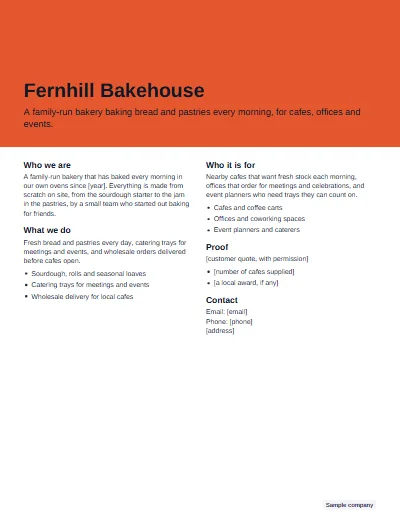
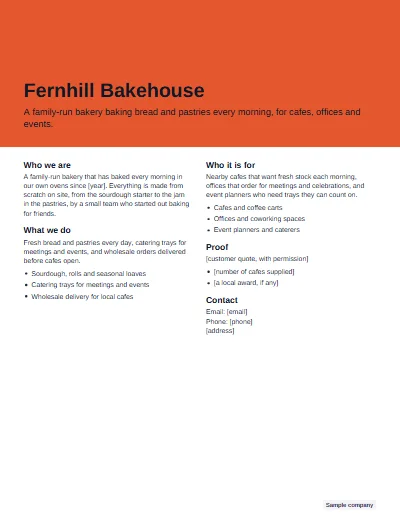
Fernhill Bakehouse
A family-run bakery baking bread and pastries every morning, for cafes, offices andevents.
Who we areA family-run bakery that has baked every morning inour own ovens since [year]. Everything is made fromscratch on site, from the sourdough starter to the jamin the pastries, by a small team who started out bakingfor friends.
What we doFresh bread and pastries every day, catering trays formeetings and events, and wholesale orders deliveredbefore cafes open.Sourdough, rolls and seasonal loavesCatering trays for meetings and eventsWholesale delivery for local cafes
Who it is forNearby cafes that want fresh stock each morning,offices that order for meetings and celebrations, andevent planners who need trays they can count on.Cafes and coffee cartsOffices and coworking spacesEvent planners and caterers
Proof[customer quote, with permission][number of cafes supplied][a local award, if any]
ContactEmail: [email]Phone: [phone][address]
Made at onepagertemplate.com

One-pager templates

A one pager template is a single page laid out in sections, such as who you are, what you offer, proof and contact details, ready for your words. Fill in the sections above, pick one of six layouts and a color, and download a PDF, Word or PowerPoint file that fits on one Letter or A4 page.

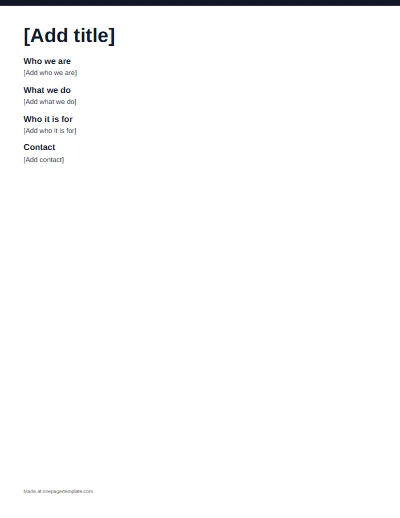
Every one pager template here is free, with no sign-up. The previews show each layout filled in for a made-up Sample company; the files have the same layout with [bracketed] prompts in place of the sample text. Working in Google Docs or Google Slides? Download the Word or PowerPoint file, upload it to Google Drive and open it there.

Examples

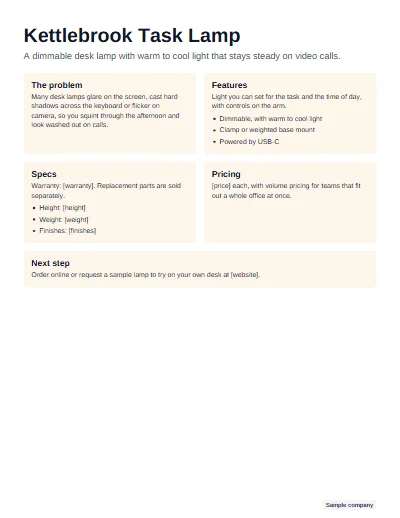
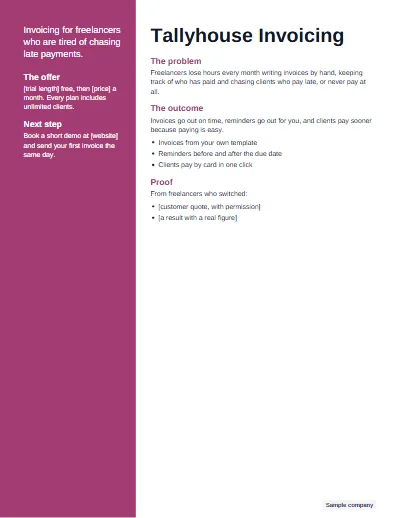
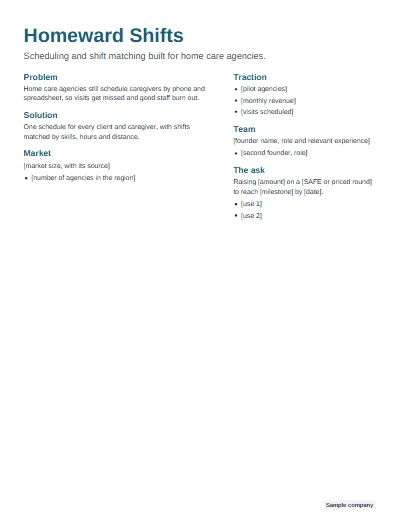
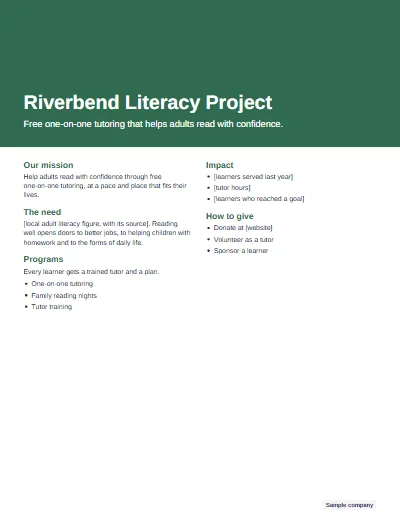
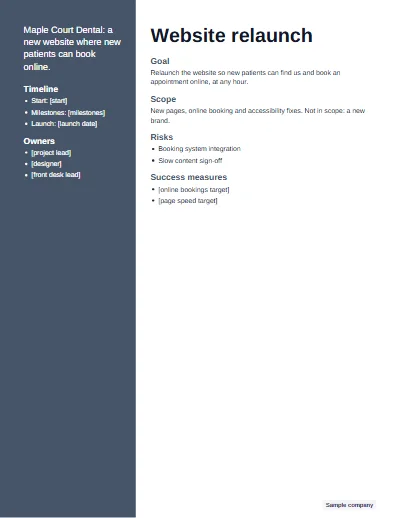
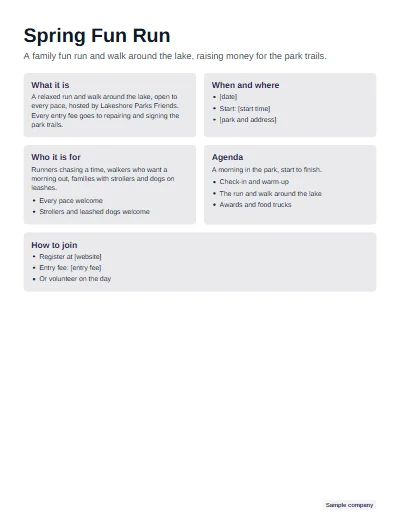
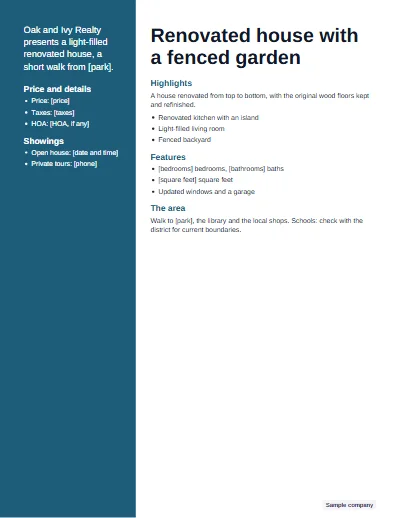
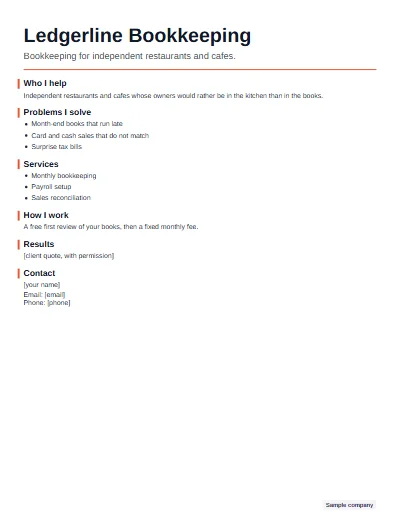
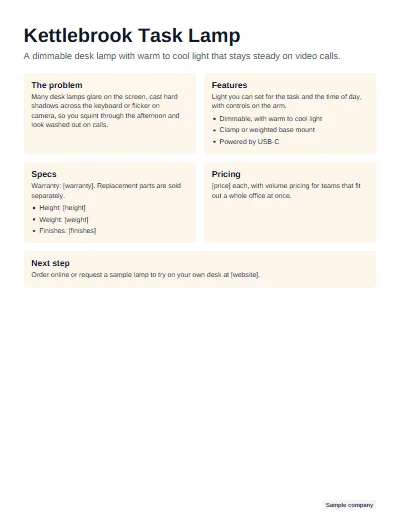
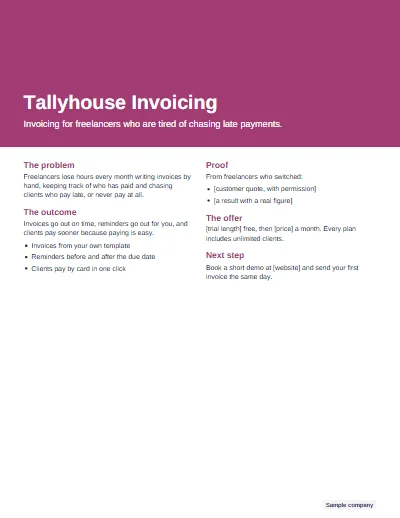
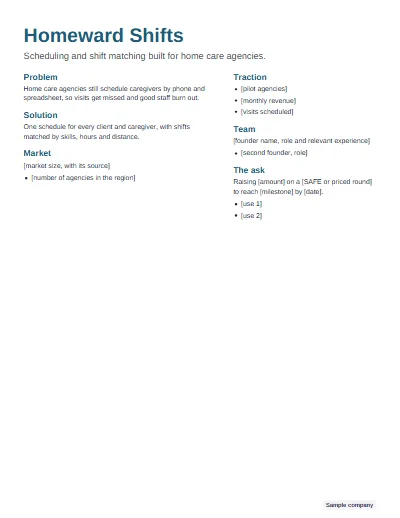
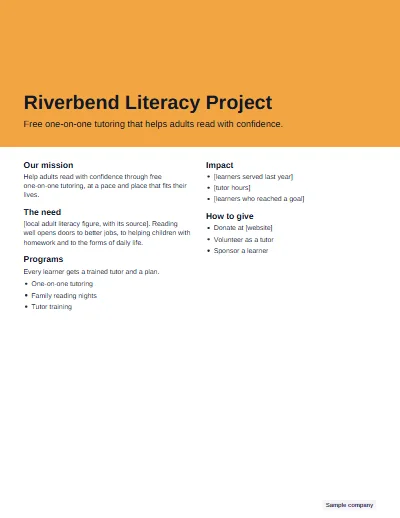
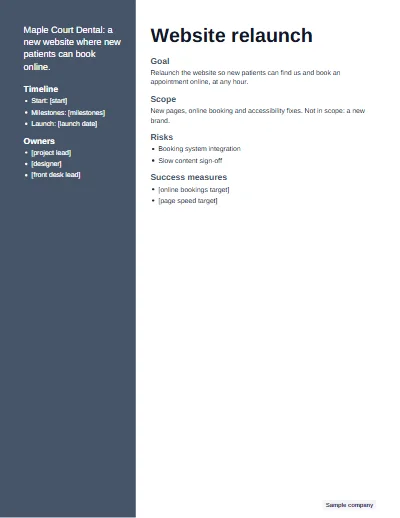
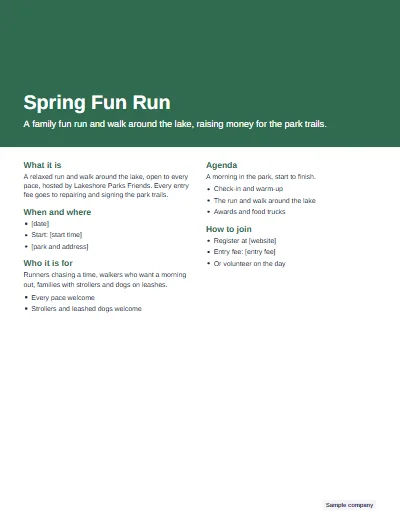
Six finished one-pagers made with the maker, each for a company we made up. Every figure is left in brackets for the real number.

See all 24 one pager examples, from company overviews to classroom work.

How to use the maker

  1. Add your words

    Pick what the one-pager is for, then fill in the fields. Or paste your notes: a line such as "Problem: ..." goes to that section, and lines the maker cannot place wait in a tray until you put them somewhere. You can also paste text copied from your own website.

  2. Pick a layout and a color

    Choose one of six layouts and a brand color, and add a logo if you like; it stays in your browser. The sheet redraws as you type and shrinks the type a little when it needs to, so everything stays on one page.

  3. Check it, then download

    Click any text on the sheet to jump to its field and change it. Then download a PDF, Word, PowerPoint or PNG file. If any [bracketed] placeholders are left, the maker tells you how many before you export.

What goes on a one-pager

Each type comes with its own sections in a fixed order, chosen for the person who will read it. A startup needs the ask; a nonprofit needs a way to give; a project needs owners and risks.

TypeSections, in order
BusinessWho we are, What we do, Who it is for, Proof, Contact
ProductThe problem, Features, Specs, Pricing, Next step
SalesThe problem, The outcome, Proof, The offer, Next step
StartupProblem, Solution, Market, Traction, Team, The ask
NonprofitOur mission, The need, Programs, Impact, How to give
ProjectGoal, Scope, Timeline, Owners, Risks, Success measures
EventWhat it is, When and where, Who it is for, Agenda, How to join
Real estateHighlights, Features, The area, Price and details, Showings
ConsultantWho I help, Problems I solve, Services, How I work, Results, Contact
PersonalHeadline, About me, Strengths, Highlights, Projects, Contact
Book report (for class)Title and author, Summary, Theme, A key quote, Symbols, A character, My connection

Every heading can be renamed, and a section you do not need can be removed. Required sections show a [bracketed placeholder] until you write them; optional ones, such as Proof on a business one-pager, only appear once they have words. For the writing itself, follow the steps in how to make a one pager.

A full example

Sample company: Fernhill Bakehouse, a business one-pager in the Hero band layout
Sample company

Fernhill Bakehouse, a business one-pager

Business one-pager, Hero band layout, Coral

Fernhill Bakehouse

A family-run bakery baking bread and pastries every morning, for cafes, offices and events.

Who we are

A family-run bakery that has baked every morning in our own ovens since [year]. Everything is made from scratch on site, from the sourdough starter to the jam in the pastries, by a small team who started out baking for friends.

What we do

Fresh bread and pastries every day, catering trays for meetings and events, and wholesale orders delivered before cafes open.

  • Sourdough, rolls and seasonal loaves
  • Catering trays for meetings and events
  • Wholesale delivery for local cafes

Who it is for

Nearby cafes that want fresh stock each morning, offices that order for meetings and celebrations, and event planners who need trays they can count on.

  • Cafes and coffee carts
  • Offices and coworking spaces
  • Event planners and caterers

Proof

[customer quote, with permission]

  • [number of cafes supplied]
  • [a local award, if any]

Contact

Email: [email]
Phone: [phone]
[address]

  1. The title and tagline do the work of a headline: who it is and what it offers, in two lines.
  2. Each section stays inside its limit, so the page never spills onto a second sheet.
  3. The proof line is still a placeholder, and stays one until there is a real quote to use.
Layout rules that make it work

  • One idea per section. If a section needs two headings, it is two sections.
  • The most important line first. Readers skim the first line of each block and decide whether to read the rest.
  • Bullets of one line. A bullet that wraps reads like a paragraph; cut it or turn it into the section's text.
  • One brand color plus dark text. Color marks the structure, and dark text on white does the reading.
  • Half-inch margins. Many office printers cannot print to the very edge, and white space around the page makes it look calm.
  • Body text never below 9 points. The maker shrinks the type in small steps to fit and stops before that size.

The full type, color and spacing rules, with the six layouts side by side, are in one pager design.

Maker, design app or a Word template

Three ways to get a one-pager done. Pick by where your words start and how much layout work you want to do by hand.

TopicThis makerA design app (such as Canva)A Word template
CostFreeFree and paid plansFree
AccountNoneNeeded to edit and downloadNone, but you need Word or Google Docs
Fits one pageMeasured for youYou resize by handYou trim by hand
Starts from your notes or website textYes, in your browserNoNo
LayoutsSix, for any typeA large template libraryThe one in the file
FilesPDF, Word, PowerPoint, PNGPDF, PNG and moreWord
Where your text goesStays in your browserThe app's serversYour computer

Not affiliated with Canva.

All templates and guides

Questions

How do you write a one-pager?

Decide who will read it and the one thing you want them to do next. Write a clear headline, then a few short sections in a fixed order, such as the problem, your answer, proof and the next step, and end with contact details. Keep every section to a few lines so it all fits on one page.

Can ChatGPT create a one-pager?

ChatGPT can draft the words for a one-pager if you give it your facts, and it can format a simple document, but it may state things that are not true about your business and it does not check that a designed layout fits on one page. Write or paste your text, check every claim, then lay it out here.

Is there an AI tool that can create one-pagers?

Several design and writing apps now offer AI features that draft one-pagers. This maker is not one of them: it uses no AI, so every word on your page is yours or a fixed label, and empty sections show a placeholder instead of invented text. That makes it a good last step after any drafting tool.

Does Canva have a one-pager template?

Yes. Canva has one-pager templates in its editor, and you need a Canva account to edit and download them. This site is a different, free option with no account: you type or paste your text, it fits the page for you, and you download Word, PowerPoint or PDF. This site is not affiliated with Canva.

Is there a free one pager template for Word or Google Docs?

Yes. Every template here downloads as a Word file, free and with no sign-up. To use it in Google Docs, upload the Word file to Google Drive and open it with Docs; for Google Slides, do the same with the PowerPoint file. Word keeps the content close to the design, though not pixel for pixel.

What size is a one-pager?

One side of one sheet: US Letter (8.5 by 11 inches) in North America, A4 (210 by 297 millimeters) in most other countries, usually portrait. The maker lays out both sizes with half-inch margins and checks that everything fits; switch the paper and it fits the page again.

Does the maker keep my text or my logo?

No. Everything happens in your browser: your text, pasted notes and logo are never uploaded, and the logo is only shown on your screen while you work. Nothing is sent to a server when you download, because the PDF, Word and PowerPoint files are built on your device.

Is there a one pager template for students?

Yes, on separate pages written for teachers. The blank one pager template page has empty sheets to print, and the one pager layout ideas page has eight printable layouts with borders plus a project sheet with a grading rubric. Neither page asks students to type anything or sign up.