How to Make a One Pager
To make a one pager, decide who will read it and the one thing you want them to do. Write a headline, then short sections in a set order: the problem, your solution or offer, proof, and a call to action with contact details. Then fit it all on one Letter or A4 page.
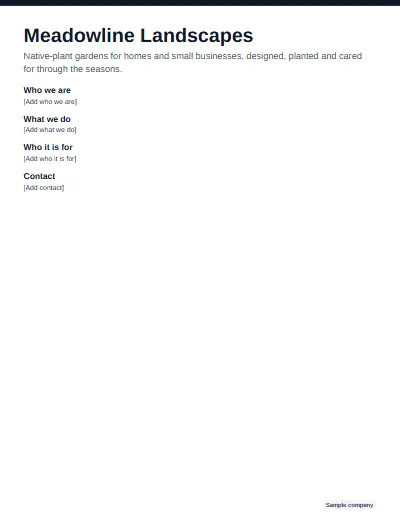
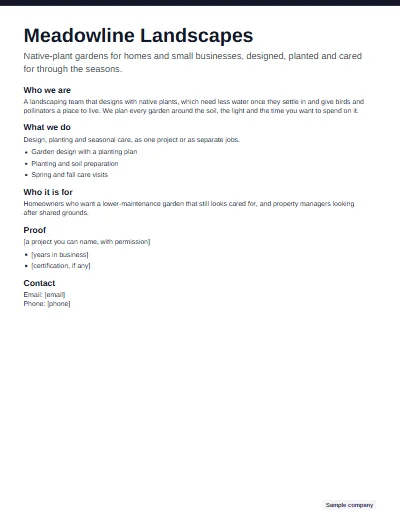
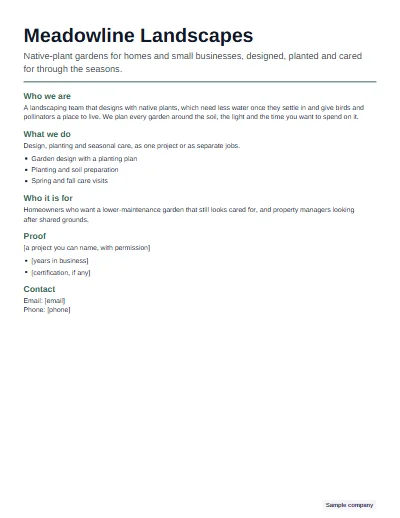
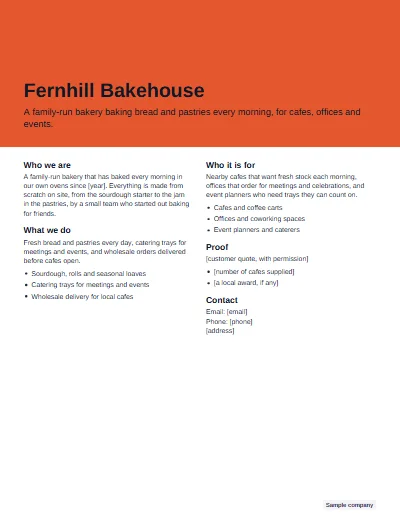
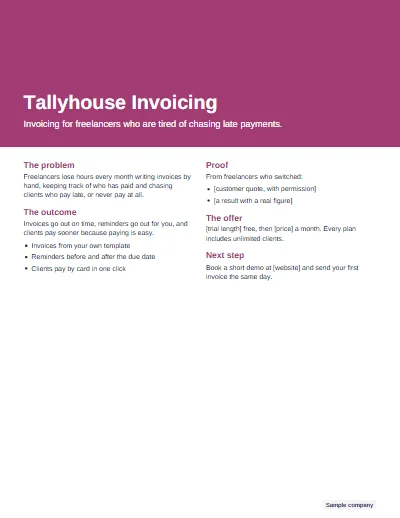
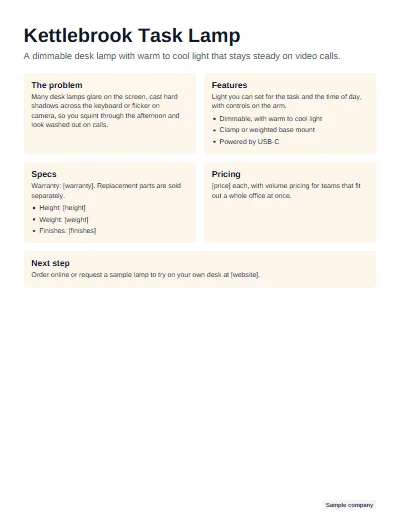
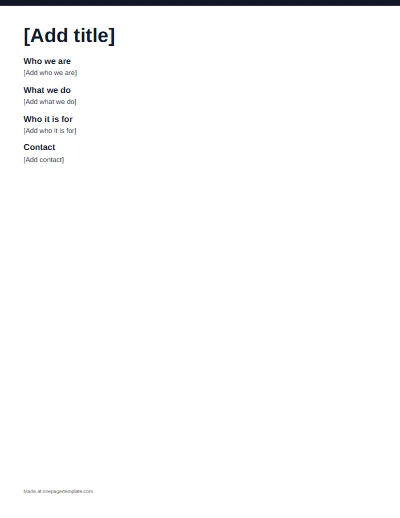
The worked example on this page is Meadowline Landscapes, a made-up Sample company. The three sheets above show it at the end of step 3, step 5 and step 7.
The one pager format
Not sure whether you need the business document or the classroom assignment? Read what is a one pager first. For the business kind, the sections follow a fairly fixed order, and each has a rough size:
| Section | What it does | Length guide |
|---|---|---|
| Headline | Says what it is, in plain words | One line |
| Tagline | Says who it is for and the result they get | One sentence |
| Problem | Names the pain the reader already feels | Two or three lines |
| Solution or offer | Explains what you do about it | Two or three lines, or a short list of bullets |
| Proof | Shows it works, with something specific | One or two lines |
| Call to action | Asks for the next step | One line, one action |
| Contact | Makes the next step easy | One line |
The page itself: US Letter (8.5 by 11 inches) or A4, portrait, with half-inch margins, laid out in one or two columns and saved as a PDF. The maker on this site sets the title at about 26 to 30 points, section headings at about 11 to 13 and body text at 9 to 10.5, shrinking all of them together in small steps when a page runs full.
Step 1: Pick the reader and the goal
Write down one reader and one action before anything else. A buyer who should book a call. An investor who should reply. A donor who should give, or a manager who should approve a budget. Every line on the page then has a test to pass: does it move that person toward that action? If a sentence serves a different reader, it belongs on a different page.
It helps to write the action out as the sentence that will close the page, such as "Book a walkthrough of your garden" or "Reply to this email to set up a call". You will need that sentence in step 4 anyway.
Step 2: Choose the type
The job decides the sections. A company overview introduces a whole business: start from the business one pager template. A product sheet sells one thing with features and specs, as on the product one pager. A sales one pager makes the case for one offer to a prospect, and an investor one-pager, the startup one pager, ends with the funding ask. Nonprofit, project, event, real estate and consultant pages each bring their own sections as well: a nonprofit page needs a way to give, a project page needs owners and risks. To see every type finished, browse the one pager examples.
Step 3: Write the headline and tagline
The headline names the thing. The tagline says who it is for and what they get. Readers decide in those two lines whether to read the rest, so trade cleverness for clarity:
| Topic | Weak | Stronger |
|---|---|---|
| Headline | Growing something beautiful | Meadowline Landscapes |
| Tagline | Quality landscaping solutions for every need | Native-plant gardens for homes and small businesses, designed, planted and cared for through the seasons |
The weak tagline could belong to any landscaper. The stronger one names the kind of garden, the customers and the service, so the right reader recognizes themselves at once.
Step 4: Fill each section in a few lines
Give each section one idea and say it in short sentences. Turn lists into bullets of one line each. Cut adjectives that any competitor could also claim ("innovative", "leading", "high quality") and keep the nouns and verbs that only you can. Use the words your readers use: a cafe owner says "fresh stock every morning", not "daily replenishment". If a section needs two headings, split it, or drop the weaker half.
Step 5: Add proof without padding
Proof is the part a careful reader checks, so keep every line of it true. Use a real figure with its date or source, a result you can show on request, or a named customer quote you have permission to print. If you do not have that yet, leave a bracketed placeholder such as [a project you can name, with permission] and fill it in later. A visible gap is honest; an invented number is a liability. The maker counts the placeholders left on the page and tells you before you export.
Step 6: Lay it out on one page
Choose the layout by the shape of your content rather than by taste. Classic or two column suit text-heavy pages. Hero band suits a strong brand, with the name in a band of color. Card grid suits several equal parts, such as features or programs. Sidebar suits pages where contact details and quick facts matter, such as listings and offers. Minimal suits formal pages, with color only on the heading rules. The rules for type, spacing and color are in one pager design.
Then add one brand color and, if you have one, your logo. Use the color for structure, such as a band or the headings, and keep long text dark on white. The maker checks the contrast of every color you pick and darkens it slightly when text on it would be hard to read.
Step 7: Check it and export
Read the page aloud: clumsy sentences show up at once. Check every name, number and piece of contact text against its source, and clear the last placeholders. Print one copy at full size, because a page that looks fine on a screen can feel cramped on paper. Then export a PDF to send, since it looks the same everywhere, and keep the Word or PowerPoint version for the next update.
If you can, hand the page to someone outside the project for a minute, then ask what it offers and what they would do next. If their answer does not match the goal you wrote in step 1, revise before you send it.
Make a one pager in Word, Google Docs, PowerPoint or Canva
Whatever the app, set the page size first, Letter or A4, and the margins to half an inch. In Google Docs both live under File, then Page setup. Slide apps such as PowerPoint and Google Slides start with a wide slide and large default fonts, so change the slide size to 8.5 by 11 inches, portrait, before you add anything. Text boxes in slide apps also overflow without warning, so check the bottom edge of every box when you finish. In Word or Google Docs, a two-column table with its borders turned off is the simplest way to get columns that stay put. Canva has one-pager templates in its editor, and you need an account to edit and download them.
Or skip the setup: the maker builds the page from your words and gives you a Word or PowerPoint file that is already the right size, with the layout in place.
Not affiliated with Microsoft, Google or Canva.
Making one for a class?
The classroom one-pager is a different assignment: a sheet that sums up a book or topic with quotes, images and analysis. Teachers will find topics by subject in one pager ideas and empty sheets to print in the blank one pager template.
Questions
How do you make a one pager in Word?
Start a new document, set the page size to Letter or A4 and the margins to half an inch, then add a title, a tagline and short sections with headings. Use a two-column table without borders if you want columns. Or download the Word template from this site, which already has the layout set up.
How do you make a one pager in Google Docs?
In Google Docs, open Page setup from the File menu, choose Letter or A4, portrait, and set half-inch margins. Add your title, tagline and sections, and use a borderless table for columns. To start faster, upload the Word template from this site to Google Drive and open it with Google Docs.
How do you make a one pager in PowerPoint or Google Slides?
Change the slide size first: set it to 8.5 by 11 inches, portrait, because slides start in a wide shape with large default fonts. Then build the page with text boxes, keeping body text small enough to fit. The PowerPoint template here is already one portrait page and opens in Google Slides.
What is the best format for a one pager?
For most business uses: one portrait page, a headline and tagline at the top, four to six short sections in a logical order, one brand color, and contact details at the foot, saved as a PDF so it looks the same everywhere. Keep an editable Word or PowerPoint copy for updates.
How many words should a one pager have?
There is no fixed number. Fewer words with clear headings beat a full page of text, and images or a sidebar take space. Write each section in two or three lines, then trim until the page breathes. The maker shows a character count for each section and stops you before the page overflows.
Should I send a one pager as a PDF or a Word file?
Send a PDF. It keeps the fonts, colors and layout the same on every screen and printer, and nobody can change it by accident. Keep the Word or PowerPoint version for yourself so you can update it, and send that only when someone needs to edit the page.
Can I make a one pager without design skills?
Yes. Pick a layout that matches your content, use one brand color and the fonts the layout sets, and keep sections short. The maker on this site handles spacing, type sizes and the one-page fit for you, so you only write the words and choose a layout and color.