Blank One Pager Template
Empty one-pager sheets with no sample text: print them, or open the Word or PowerPoint file and type. Free, no sign-up.
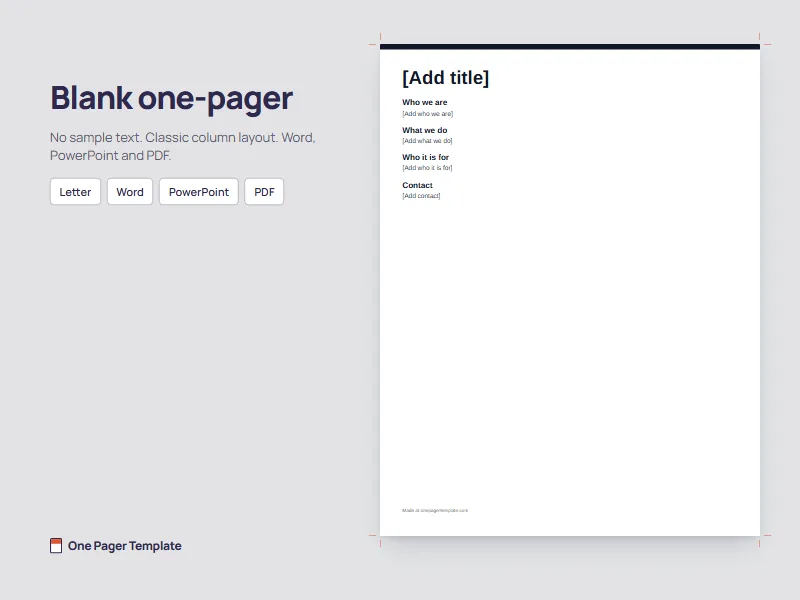
Blank one-pager
Headings and short bracketed prompts only, no sample text. US Letter, half-inch margins.
Using Google Docs or Google Slides? Download the Word or PowerPoint file, upload it to Google Drive and open it there.
Blank classroom sheets
Eight blank layouts with borders, drawn in black line art on US Letter, portrait. Each prints as its own PDF, or take all eight in one file.
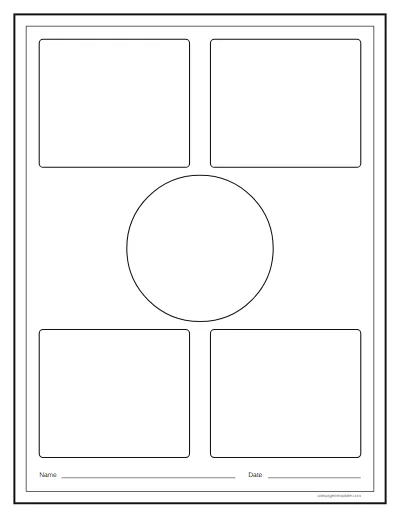
- Center circle. A circle for the main image, with four boxes around it. Download PDF: Center circle layout
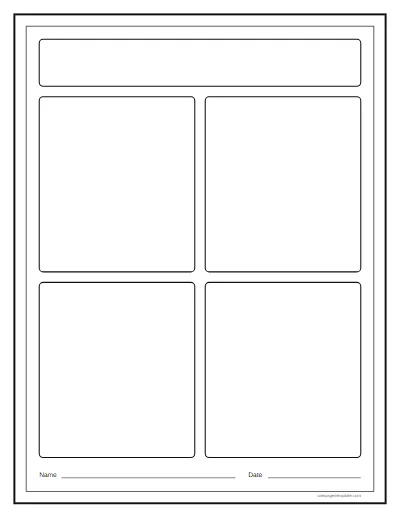
- Quadrants. Four equal boxes under a title band. Download PDF: Quadrants layout
- Hexagon. A center hexagon with six around it. Download PDF: Hexagon layout
- Frame. A wide border for quotes around one open space. Download PDF: Frame layout
- Banner and columns. A title banner over three columns. Download PDF: Banner and columns layout
- Timeline. A row of boxes for events in order. Download PDF: Timeline layout
- Split. Two halves for compare and contrast. Download PDF: Split layout
- Spokes. A center circle with lines out to six boxes. Download PDF: Spokes layout
Pictures of every layout, which assignment each one suits and a project sheet with a grading rubric are on the one pager layouts page.
How to use a blank one-pager
For a class
Print one sheet per student at 100 percent. The layouts are black line art, so a single printed original photocopies cleanly for the whole class. Ask students to plan in pencil, fill the center or the largest box first and leave the border for last, when they know which words deserve it. Need a topic to set? The one pager ideas list them by subject.
For work
Open the Word or PowerPoint file and type over each bracketed prompt. Keep every section to a few lines, delete any you do not need, and check that nothing has slipped off the bottom of the page. Save it as a PDF before you send it, so it looks the same for everyone.
Open it in Google Docs or Google Slides
Download the Word file, upload it to Google Drive, then open it with Google Docs. For Google Slides, do the same with the PowerPoint file. The layout comes across close to the original, but line spacing and box positions can shift slightly between apps, so look over the whole page before you print or share it. If a section looks crowded after the upload, shorten the text rather than shrinking the type, so the page stays readable on paper.
What to put on a blank one-pager
The classroom assignment and the business document share a name and nothing else, so fill the sheet for the one you need. If you are not sure which that is, read what is a one pager.
Classroom
- The title and author, or the topic
- Two quotes or key facts
- A symbol for the main idea
- The theme in one sentence
- A few lines of analysis
- A connection to life or another text
- A border that means something
Business
- A headline: what it is
- A tagline: who it is for
- Who you are
- What you offer
- Proof you can back up
- One next step
- Contact details
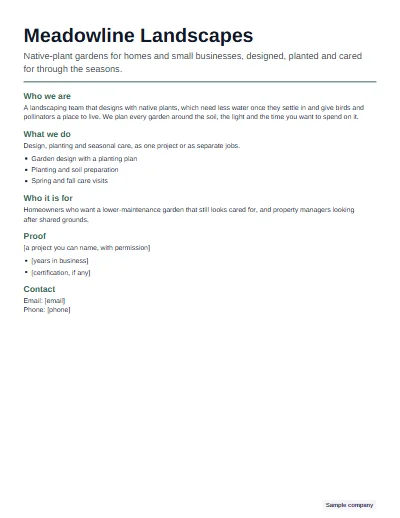
Want the boxes laid out and fitted to the page for you? The one pager template builds a business one-pager from your words.
Questions
Where can I get a blank one pager template?
Right here, free and with no sign-up. Download the blank one-pager as a PDF to print, or as a Word or PowerPoint file to type into. For classroom work, the eight blank layouts with borders below print on Letter paper, one PDF each or all eight in a single file.
Is there a blank one pager template in Word?
Yes. The blank one-pager downloads as a Word file with the page size and margins set and only headings and short bracketed prompts on the page, no sample text. Type over each prompt. A PowerPoint version is there too if you prefer moving boxes around freely.
Can I use the blank template in Google Docs or Google Slides?
Yes. Upload the Word file to Google Drive and open it with Google Docs, or upload the PowerPoint file and open it with Google Slides. The layout comes across close to the original, though spacing can shift slightly, so check the page before you print or share it.
Can I print a blank one pager?
Yes. Every sheet here is made to print: the business blank and the classroom layouts are PDF files sized for US Letter. Print at 100 percent scale, or choose fit to page on A4 paper. The classroom layouts are black line art, so they photocopy cleanly for a whole class.
What is a blank one pager for a book report?
It is an empty sheet, often with a few boxes and a border, that a student fills with a book's title and author, a summary, key quotes, a symbol, the theme and a personal response. The blank classroom layouts here give that structure without telling students what to write, so any book works.
Which blank one pager is best for students?
For a first one-pager, a layout with four clear boxes gives students enough structure to start. Confident students may like the frame layout, which leaves one open space and a wide border. For a timeline or compare-and-contrast task, choose the layout shaped for it. All eight are on this page.
Do I need to sign up to download these?
No. Every file on this page downloads straight away, with no account, no email and no form. Nothing on this page asks students or teachers to type anything, and the files are yours to print and copy for your class as many times as you need.